
How to Build Construction Website Using Premium WordPress Themes
Creating a professional online presence is essential for any construction business looking to attract clients and showcase its work effectively. A well-designed website not only highlights your services but also builds trust and credibility with potential customers. If you’re planning to build construction website, using a premium WordPress theme can make the entire process much easier and faster. Instead of starting from scratch, you get access to pre-designed layouts and industry-specific features that help you create a polished site without technical complexity.
With the right approach, even beginners can design a fully functional website that includes service pages, project galleries, and contact forms. In this guide, you will learn a step-by-step method to set up your construction website using a premium WordPress templates and customize it according to your business needs.
Benefits of Using a Premium WordPress Theme
Using a premium customizable WordPress themes can make a huge difference when you build construction website, especially if you want a professional result without spending excessive time on design and setup.
-
Faster Website Setup: Premium themes come with ready-made layouts, allowing you to launch your website quickly without building every section from scratch.
-
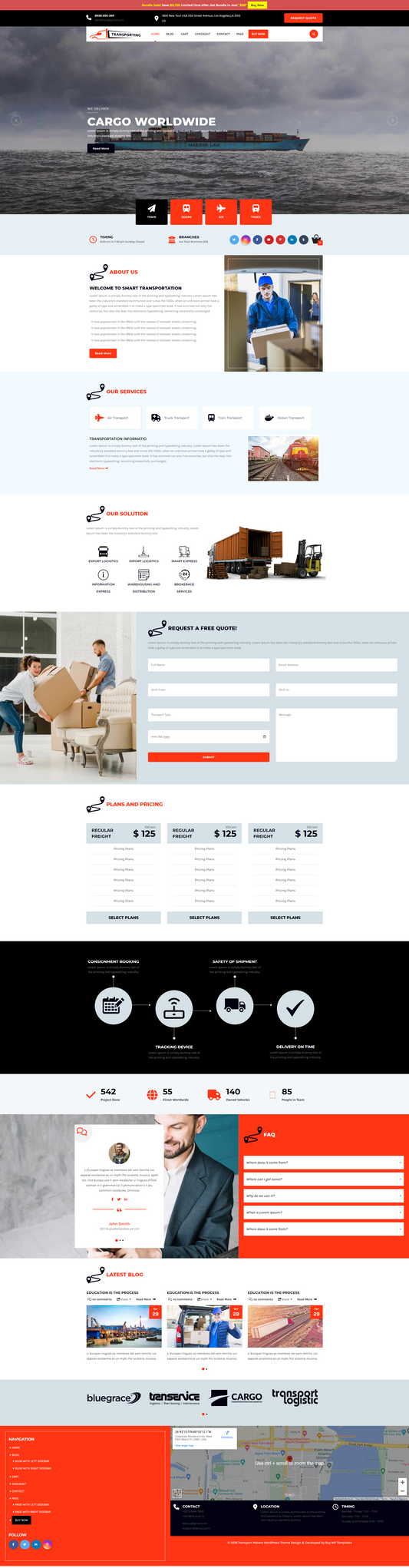
Pre-Built Layouts: You get professionally designed pages like Home, Services, Projects, and Contact, which only require content replacement.
-
Industry-Specific Features: These themes include sections tailored for construction businesses, such as project showcases, testimonials, and inquiry forms.
-
Better Design Consistency: All elements follow a unified design style, ensuring your website looks clean, structured, and professional across every page.
-
Time & Effort Saving: Instead of designing everything manually, you can focus on adding your content and growing your business.
-
Built-In Customization Options: Easily modify colors, fonts, layouts, and sections without needing coding knowledge.
-
Professional Visual Appeal: Premium designs are crafted by experts, giving your website a modern and polished look.
-
Regular Updates: Themes are updated frequently to stay compatible with the latest WordPress versions and security standards.
-
Better Performance Optimization: Many premium themes are optimized for speed, helping your website load faster and improve user experience.
-
SEO-Friendly Structure: Clean coding and proper structure help your website perform better in search engine rankings.
-
Support & Documentation: You get access to customer support and detailed guides, making it easier to resolve issues.
- Higher Conversion Potential: Well-designed layouts and built-in sections help turn visitors into leads and customers.
How to Build a Construction Website ( Step-by-Step )
Creating a professional construction website becomes simple when you follow the right steps and use a well-designed premium theme.
Step 1: Buy & Download the Premium Theme

To build construction website professionally, selecting a niche-specific premium theme is the most important first step. The Premium Construction WordPress Theme is designed specifically for construction businesses and includes ready-made layouts for projects, services, and lead generation. Start by visiting the official theme page and carefully reviewing the live demo to understand the structure, sections, and design style you will be working with. Once you are satisfied, click on the Buy Now button and complete the purchase process.
After payment, you will receive access to download the theme file in ZIP format. Make sure you store this file properly, as it contains all the essential components needed to install and set up your website in the following steps.
Step 2: Install WordPress & Upload the Theme

Before you begin designing, you need to set up a working WordPress environment. Purchase a domain name and hosting plan from a reliable provider, then use the one-click installation option available in your hosting dashboard to install WordPress. Once installed, log in to your WordPress dashboard by accessing yourdomain.com/wp-admin and entering your credentials. From the dashboard, go to the Appearance section and click on Themes, then select Add New and choose the Upload Theme option. Here, upload the ZIP file you downloaded earlier and click Install, followed by Activate.
As soon as the theme is activated, your website layout will change to match the theme structure, giving you a solid foundation to build construction website without starting from scratch.
Step 3: Install Required Plugins

Plugins are essential for adding functionality to your website beyond design. To build construction website that performs efficiently, you need plugins for SEO, contact forms, security, and caching. After activating your theme, navigate to the Plugins section in your WordPress dashboard and click on Add New. Use the search bar to find plugins such as Contact Form 7 or WPForms for inquiries, Yoast SEO or Rank Math for optimization, and a best WordPress cache plugin for speed improvements.
Some themes may also prompt you to install recommended plugins, so be sure to install and activate those as well. Setting up these plugins early ensures that your website has all the required features and avoids compatibility issues later during customization and content setup.
Step 4: Import Demo Content
Importing demo content allows you to replicate the theme’s design instantly, which significantly simplifies the process when you build construction website. After activating the theme, go to the Appearance section or Theme Options panel in your dashboard, where you will find the demo import feature. Select the demo layout provided by the theme and click on the Import button to begin the process. It may take a few minutes to complete, depending on your hosting speed.
Once finished, your website will look similar to the theme’s demo, including pages, menus, images, and layout sections. This gives you a complete structure to work with, allowing you to focus on replacing the placeholder content with your own business information instead of designing everything from scratch.
Step 5: Customize Your Website Design
Customization is where your website begins to reflect your brand identity. To build construction website that stands out, you need to adjust design elements such as colors, fonts, and layout settings. From your WordPress dashboard, go to Appearance and click on Customize to open the live customizer. Here, you can upload your company logo, update the site title, and modify color schemes to match your branding. You can also edit header and footer sections, homepage layouts, and typography settings.

The live preview feature allows you to see changes instantly before publishing them. Maintaining consistency across all pages is important, so use a uniform color palette and font style throughout your website to create a professional and cohesive appearance.
Step 6: Create Essential Pages

Creating essential pages helps structure your website and provides visitors with the information they need. When you build a construction website, these pages act as the foundation of your online presence. From your WordPress dashboard, go to Pages and click on Add New to start creating pages such as Home, About Us, Services, Projects, and Contact. Each page should have clear headings, well-written content, and relevant images to improve user engagement.
For example, your Services page should explain what you offer, while the About page should highlight your experience and expertise. Make sure to include clear calls-to-action on each page, guiding users toward contacting you or exploring your projects further.
Step 7: Set Homepage & Navigation Menu

Setting up your homepage and navigation menu ensures that your website is easy to use and well-organized. To build construction website with a professional structure, you need to assign a static homepage instead of displaying blog posts by default. From your dashboard, go to Settings and click on Reading, then select the option for a static page and choose your homepage. Next, go to the Appearance section and open Menus to create your main navigation menu.
Add important pages such as Home, About, Services, and Contact, then assign the menu to the primary location. A clear and simple navigation menu helps visitors move through your website easily and improves overall user experience.
Step 8: Add Project / Property Listings
Project listings are one of the most important parts of your site because they showcase your work and expertise. To build construction website that attracts clients, you need to present your projects in a clear and visually appealing way. From your WordPress dashboard, go to Dashboard > Posts > Add New or, if your theme provides a custom section, navigate to Projects > Add New.
Start by adding a project title, detailed description, and high-quality images that highlight your work. You can also use categories to organize projects into residential or commercial types. Many themes offer shortcodes or blocks, which you can insert into pages to display these listings professionally. Well-structured project sections help users understand your capabilities and build trust.

Step 9: Add Contact & Inquiry Forms
Adding contact forms is essential for generating leads and allowing users to reach out easily. When you build construction website, your goal is not just to display information but also to convert visitors into potential clients. Using a plugin like Contact Form 7 or WPForms, you can create a simple and effective form.
From your dashboard, go to the plugin settings and create a new form, then embed it into your Contact page or other sections using shortcodes or blocks. Include fields such as name, email, phone number, and project details. Keep the form simple and easy to fill out, as shorter forms tend to result in higher conversion rates.
Step 10: Add Testimonials & Social Proof
Testimonials help establish trust and make your website more credible. To build construction website that converts visitors, you should include genuine feedback from your previous clients. Depending on your theme, go to Dashboard > Testimonials > Add New or use the page editor by navigating to Pages > Home > Edit and adding a testimonial block or section.
Enter client names, feedback, and ratings, and if possible, include images of completed projects alongside the reviews. Many themes also allow slider-style testimonials, which can be enabled from theme settings. Displaying real experiences reassures potential clients and encourages them to contact you for services.
Step 11: Optimize & Launch Your Website
Before launching your website, it is important to test and optimize everything to ensure smooth performance. To build construction website successfully, you should check speed, SEO, and usability. From your dashboard, go to Plugins > Add New and install an SEO plugin like Yoast SEO or Rank Math, then configure basic settings such as meta titles and descriptions. Next, review all pages by navigating to Pages > All Pages and ensure links, images, and content are working properly. You can also test your website on different devices to ensure responsiveness.
Once everything is ready, click Settings > Reading and confirm your homepage settings, then make your site live and start promoting your services.
Wrapping Up
Building a professional website for your construction business does not have to be complicated when you follow a structured approach. By choosing the right premium WordPress themes and carefully setting up each section, you can create a website that effectively represents your services and projects. From installing WordPress and customizing your design to adding listings, forms, and testimonials, every step plays a role in improving user experience and generating leads.
When you build construction website with the right tools and planning, you save time while achieving a high-quality result. Make sure to keep your content updated, use high-quality images, and maintain a clear navigation structure. With everything in place, your website will be ready to attract visitors, build trust, and convert them into potential clients.
Frequently Asked Questions (FAQs)
1. Can I build a construction website without coding?
Yes, you can easily create a construction website without any coding knowledge by using WordPress and a premium theme. These themes come with ready-made layouts and customization options, allowing you to design pages, add content, and manage your website using a simple visual interface.
2. Which is the best platform to create a construction website?
WordPress is one of the best platforms for creating construction websites because it is flexible, easy to use, and supports a wide range of themes and plugins. It allows you to build a professional website with features like project listings, contact forms, and service pages.
3. How long does it take to create a construction website?
The time required depends on your experience and content readiness. With a premium theme, you can set up the basic website within a few hours, while complete customization, content addition, and testing may take one to two days.
4. Do I need plugins for my construction website?
Yes, plugins are important for adding functionality to your website. You may need plugins for SEO, contact forms, security, and performance optimization to ensure your website runs smoothly and performs well.
5. What pages should a construction website include?
A construction website should include essential pages like Home, About Us, Services, Projects or Portfolio, and Contact. These pages help showcase your work, explain your services, and allow users to get in touch easily.
6. Is a premium theme necessary for a construction website?
While free themes are available, premium themes offer better design, advanced features, and more customization options. They also help you create a more professional-looking website that can attract and convert visitors.
7. How can I make my construction website more effective?
You can improve your website by adding high-quality images, clear service descriptions, client testimonials, and easy-to-use contact forms. Keeping your design simple and user-friendly also helps improve engagement.